Dumb Weather 4
Dumb Weather 4.0: No Gimmicks, No Cash Burn, Just Better Weather
 Back when I first started working on Dumb Weather, the iOS app development landscape was a whole different world. AI coding agents existed, sure, but they were still in their infancy and had no direct integration with IDEs like Xcode.
Now, I wouldn’t call myself a total weather nut, but I’m always checking what the weather is doing or what it’s going to do later in the day. A while back, I grew completely exhausted by the endless sea of weather apps that each had their own convoluted gimmick, and almost always came attached with a pricey monthly subscription. After learning Swift to build my first location-based photo app, HerePix, I told anyone who would listen: “I should just make a dumb weather app.”
So that’s exactly what I did.
As an Apple Developer, I already had the tools to build and publish the app, plus access to Apple’s WeatherKit API—data Apple acquired from my all-time favorite weather app, Dark Sky. That meant I could hook myself up to real-time weather data, forecasts, and more without paying a single extra dime. I built custom widgets, Apple Watch complications, and Apple Intelligence features tailored exactly to how I wanted them to look. Before I knew it, I had built a robust, customizable weather app that anyone could use.
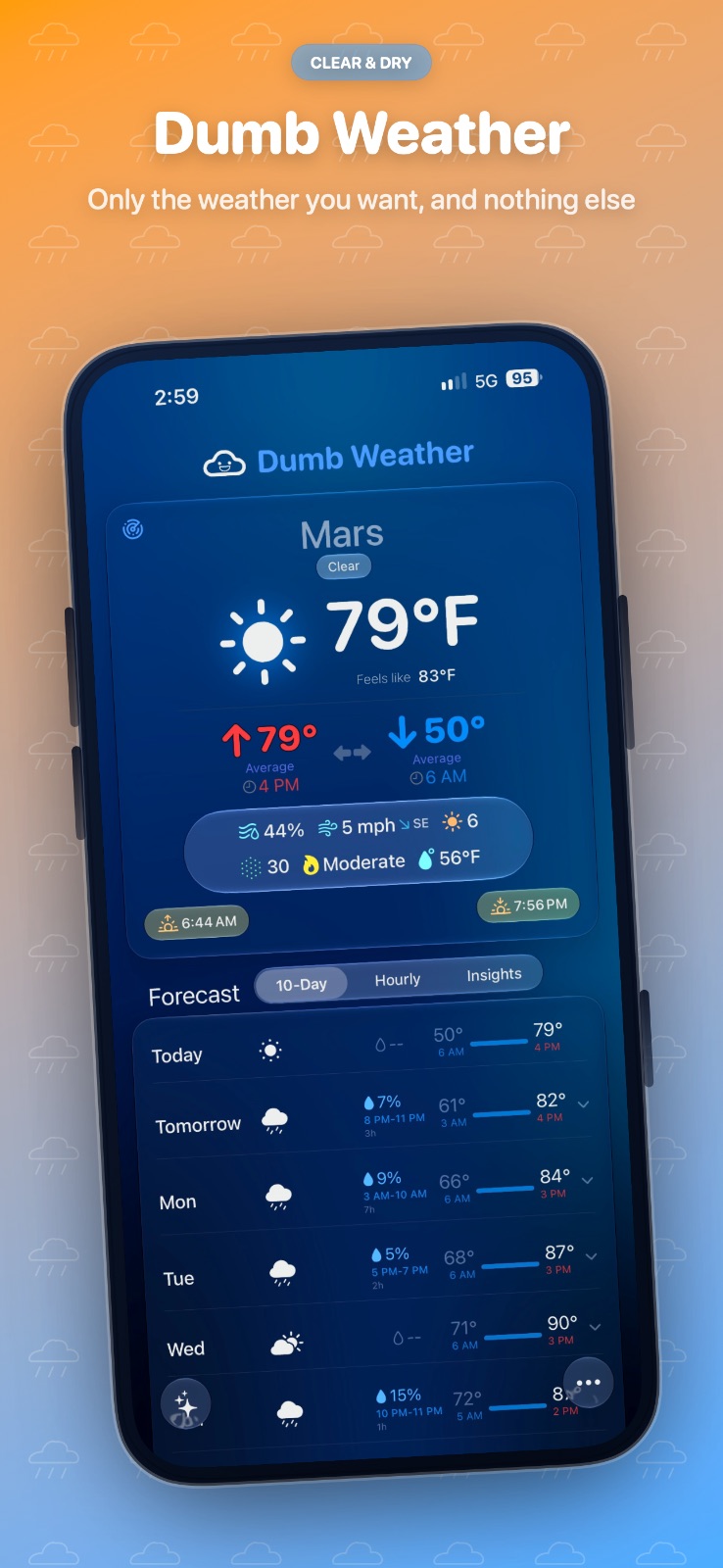
The main killer feature? Dumb Weather tells you the exact time of day the high and low temperatures will actually hit. I was sick of looking at a forecast that promised a high of 80º, only to realize that 80º spike happened at 1:00 AM, and by noon I was shivering in the 60s.
How a 9to5Mac Feature Nearly Bankrupted My Hobby
When I first launched the app, nobody used it except me and a few friends. I was totally fine with that, though I secretly thought it had broader appeal. On a whim, I submitted Dumb Weather to 9to5Mac’s indie app spotlight. To my genuine surprise, they published it.
Within 24 hours, Dumb Weather shot into the top 40 weather apps on the App Store, bringing thousands of new users overnight.
That’s when the nightmare started.
My Apple Developer license includes 500,000 free WeatherKit API calls per month. When I had under 100 users, 500k calls was practically infinite. But with thousands of active users refreshing forecasts, I blew through my monthly quota in days. To make matters worse, without knowing the press feature was going live, I was running a promotional campaign offering a free year of Dumb Weather.
Suddenly, I was burning through my own cash just to supply free weather data to thousands of strangers. Making apps is my hobby, it isn’t (and likely never will be) a lucrative side-hustle. I had to act fast: I ended the free promotion, adjusted pricing, and stopped the financial bleed.
Naturally, I took a few bad App Store reviews from angry users over the price hike. I accepted it. Your average user doesn’t know the backend reality of API token costs. I’m not sure if those negative reviews killed my viral momentum, but the user spike eventually stabilized into something manageable. Best of all, I’m no longer losing money every month just to keep my stupid weather app afloat.
What’s New in Dumb Weather 4.0
That brings us to Version 4.0, the single biggest update to Dumb Weather since its initial launch. I spent the summer rebuilding core components, fixing bugs, and redesigning the interface ahead of iOS 27.
This time around, I had AI coding agents running directly inside Xcode. Having an AI assistant right in the environment sped up development tenfold and caught subtle bugs I never would have spotted on my own. It was also a game-changer for localization: by analyzing my app analytics, I identified where my global users were located and tailored language support specifically for those regions.
There are plenty of under-the-hood optimizations, but here are the standout features in 4.0:
- Dumb Decisions: Smart, practical guidance on whether you need an umbrella, sunscreen, or a jacket before heading out.
- What Changed?: A quick summary highlighting how the weather has shifted since the last time you opened the app.
- Personal Weather Memory: Contextual comparisons comparing today’s weather directly to recent weather in your local area.
- Extended Hourly Forecasts: Detailed hourly temperature breakdowns for future days, not just today.
- New Liquid Glass Theme: A sleek, dynamic visual redesign tailored for iOS 27.
- Smarter Caching: An overhauled caching engine that delivers snappier performance while saving battery life.
- Redesigned iPad & Watch Apps: Rebuilt from the ground up for larger screens and wrist complications.
- Expanded Localization: Full multi-language support for English, German, French, Italian, Brazilian Portuguese, Simplified Chinese, and Hindi.
It’s No Longer Dumb
Give Dumb Weather a shot and let me know what you think. If you’re already using it, head to the App Store, grab the 4.0 update, and check out all the new features.
And if you reach out to me directly and mention this blog post, I’ll shoot you a promo code for a free in-app subscription!